


Project overview
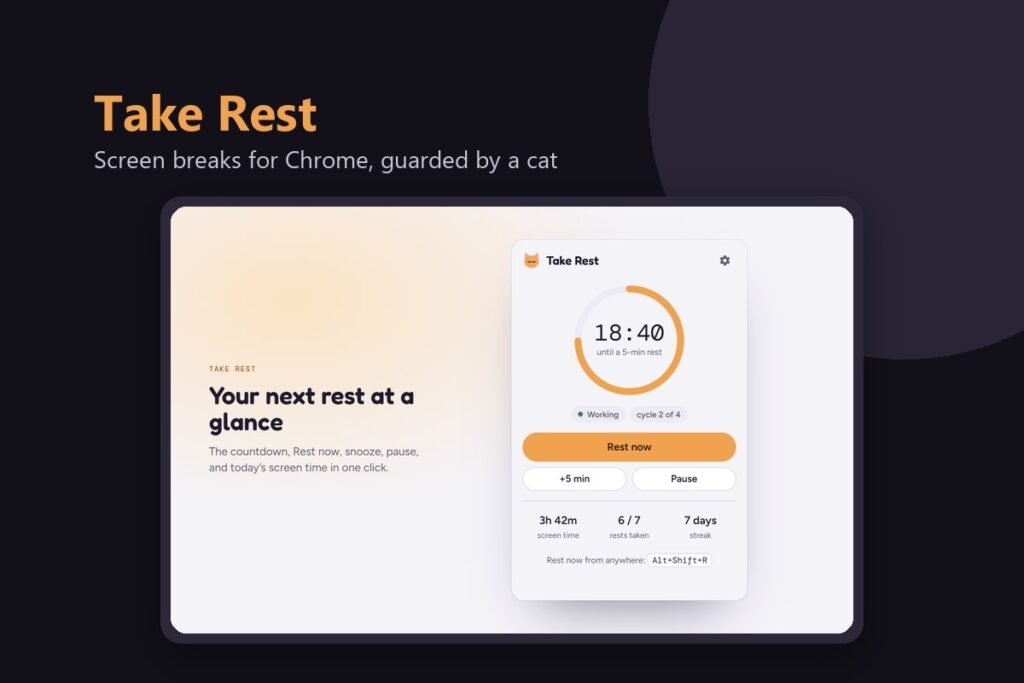
Take Rest is Parrot Digital’s own Chrome extension for screen breaks. It reminds you to rest on a schedule you set, and when the time comes, Mochi the cat sits on your screen until the rest is over.
We designed the idea, the character and the extension ourselves and published it on the Chrome Web Store.
Challenges & constraints
People who work at a computer all day know they should take breaks, but a small notification is easy to ignore. Most break timers are either too easy to dismiss or so strict that people uninstall them. Many time trackers also send browsing data to a server, which is not something people want from a wellbeing tool.
- A break reminder has to be hard to ignore but never trap you
- Screen time stats must stay private, on your own computer
Our solution
Take Rest gives you a choice of rhythms: Pomodoro 25/5, 52/17 or 90/20 for deep work, with long rests every few cycles. You decide how firm Mochi should be: Gentle (skip any time), Balanced (skip after 10 seconds) or Strict (no skipping). A heads-up with a snooze button comes shortly before each rest, every monitor gets its own rest screen, and holding Esc for 3 seconds always gets you out in an emergency.
The timer pauses while you are away and counts your screen time. Stats stay on your computer, with a CSV export and a “Clear history” button. There is no account, no analytics and no server. See the Take Rest page or add it from the Chrome Web Store.
Rest rhythms built in
Take Rest questions
That depends on the mode you pick. Gentle lets you skip any time, Balanced after 10 seconds, and Strict not at all. Holding Esc for 3 seconds always gets you out in an emergency.
No. It does not read the content of any page or anything you type. Time per website is only counted if you turn it on, and pages in incognito windows are never recorded.
On your own computer. Settings, the timer and your daily totals are saved locally, and removing the extension deletes everything it stored.
Yes. Take Rest finds your monitors, so each one gets a rest screen.
Project Name
Take Rest
Category
Apps · Wellbeing
Client
Parrot Digital (own product)
Platform
Google Chrome extension
Status
Live on Chrome Web Store
Ready to get started?
Book a free call and get a clear written quote. Call or WhatsApp us, or email contact@parrotdigital.dev.