

Sell, check stock, print receipts and see every report from Windows PCs, connected to your shop’s MINI POS phone over your own Wi-Fi. No internet, no cloud.
Free download · Windows 10 (version 1903 or later) and Windows 11 · One licence key per PC
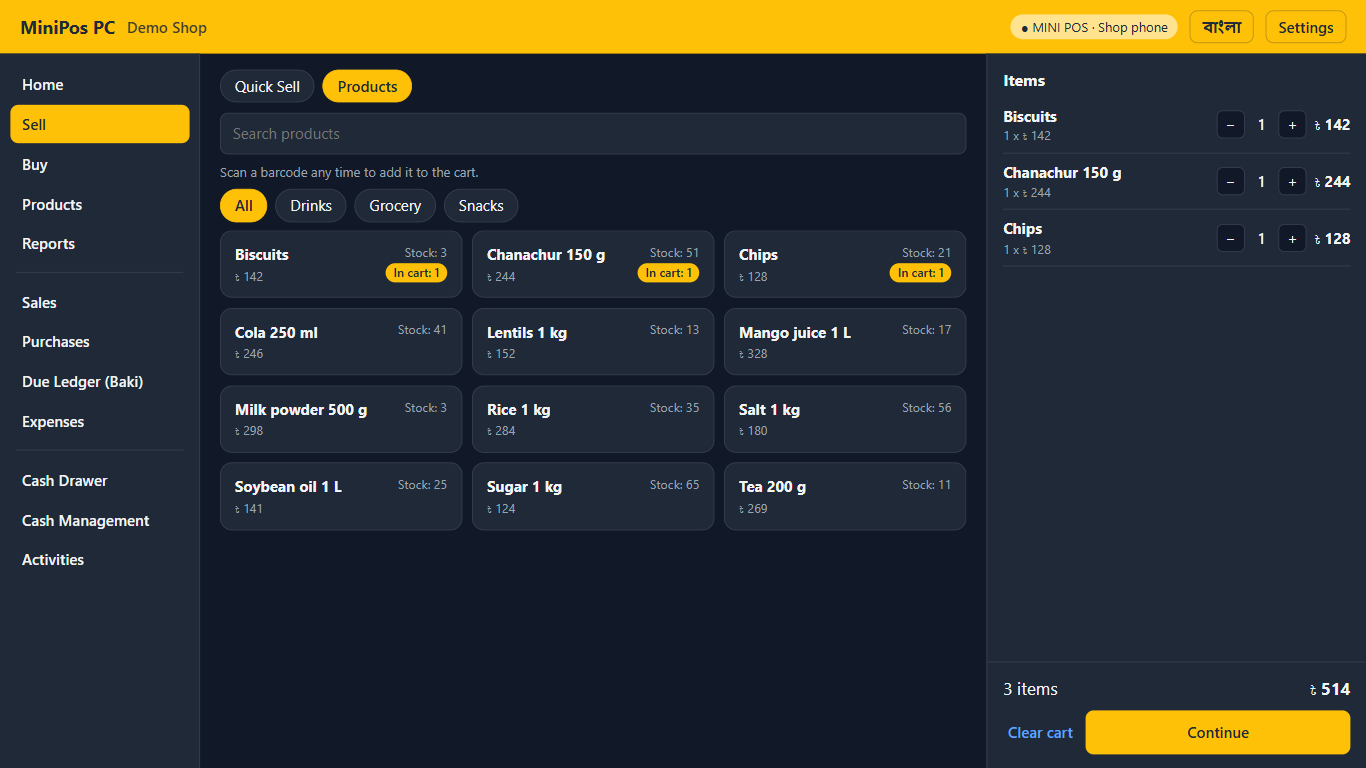
MiniPos PC works with the MINI POS app you already use on your phone. Every sale made on a PC is recorded on the phone instantly, exactly as if it was made there.
Sell with products or Quick Sell, take cash or due (Baki), and print or save the receipt.
Any USB barcode scanner works. Scan to add items to the cart.
Look up products and stock, buy stock from suppliers and adjust stock.
Customers and suppliers, dues and payments, and statements per party.
Daily, stock, business, cash, sales, buy and category reports, exported as PDF.
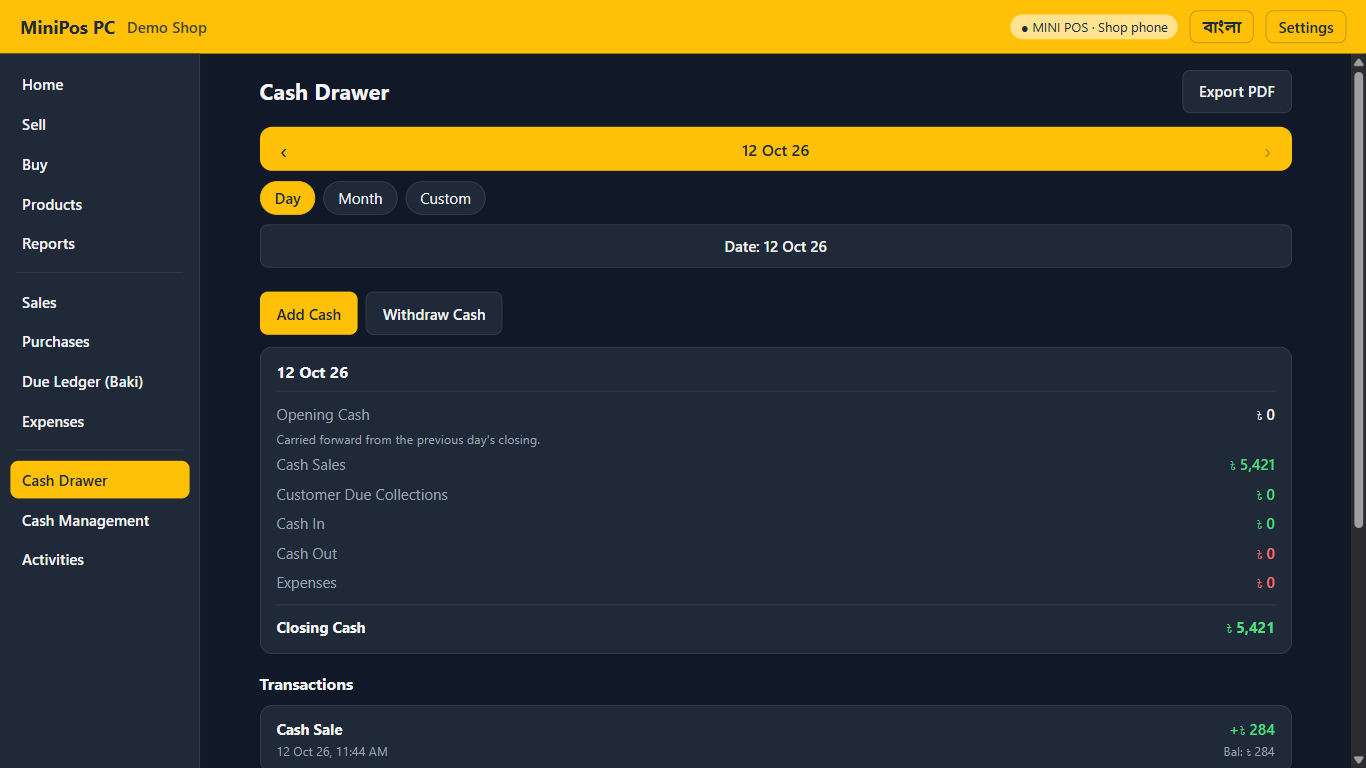
Cash in and out, expenses and the cash drawer by day or month.
Every counter PC sells at the same time, all kept in step with the phone.
Switch the language on each PC with one click.
The phone stays the heart of your shop. The PCs connect to it directly, with an encrypted connection.
Open MINI POS (version 2.30 or later), go to Settings → PC connection, switch it on and tap Add PC. The phone shows a code.
Install MiniPos PC from the Microsoft Store, open it and activate your licence key (see below).
Pick your phone, type the code and approve the PC on the phone. The PC copies your shop’s data and is ready to sell.
The same MINI POS you know, on a big screen.
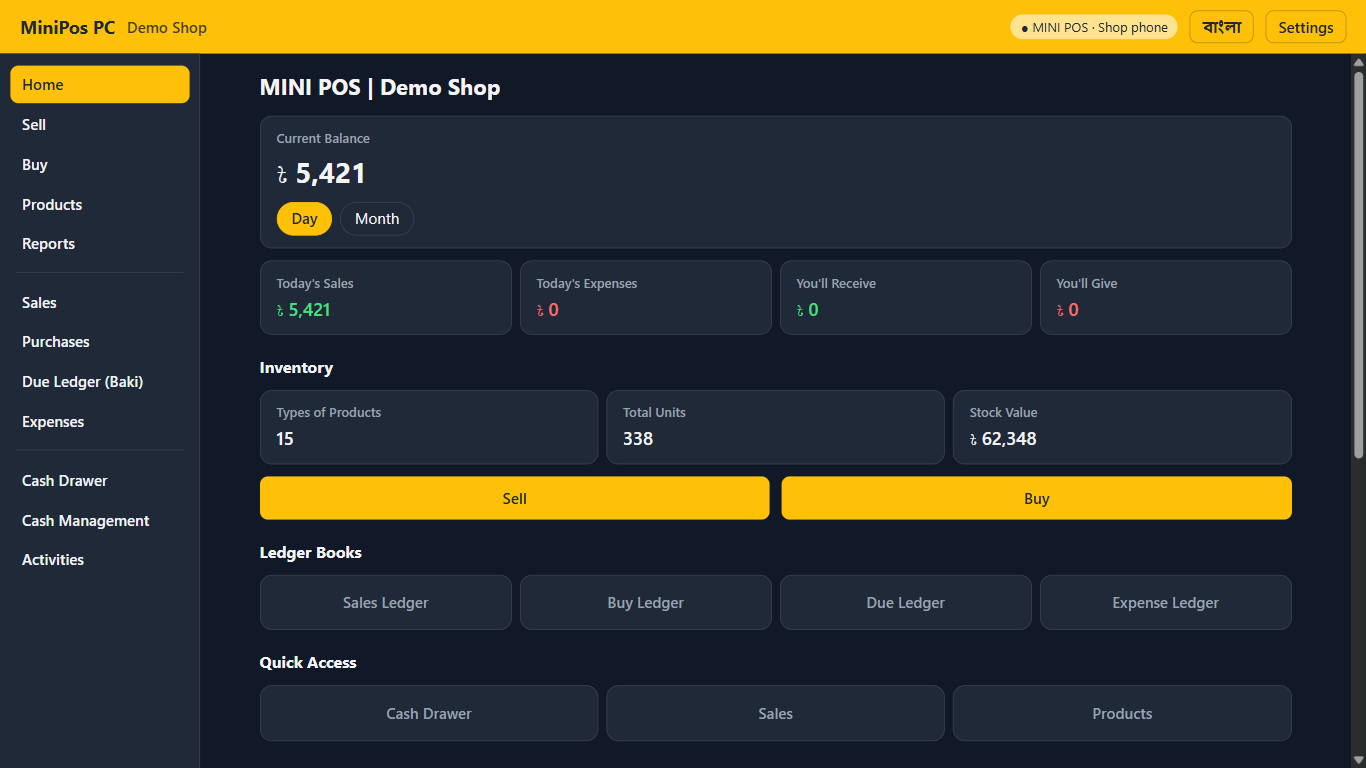
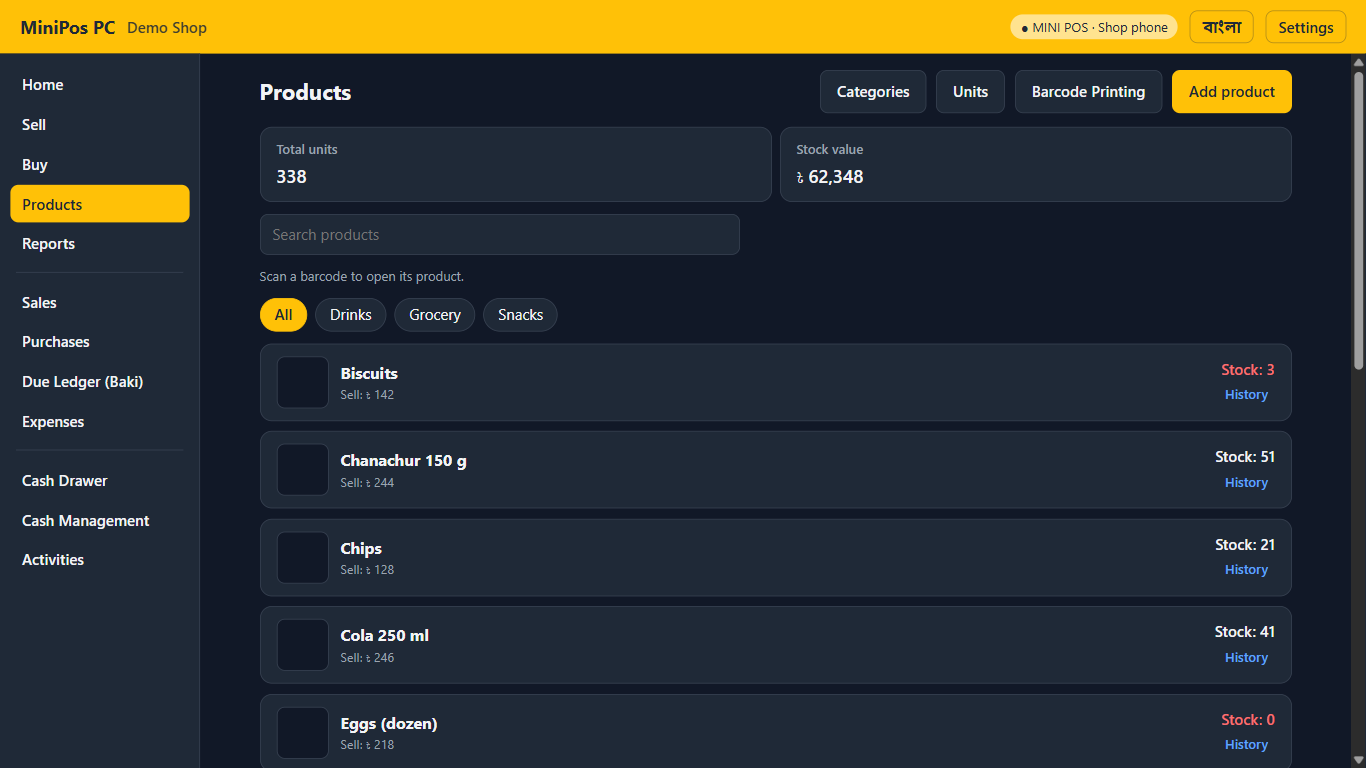
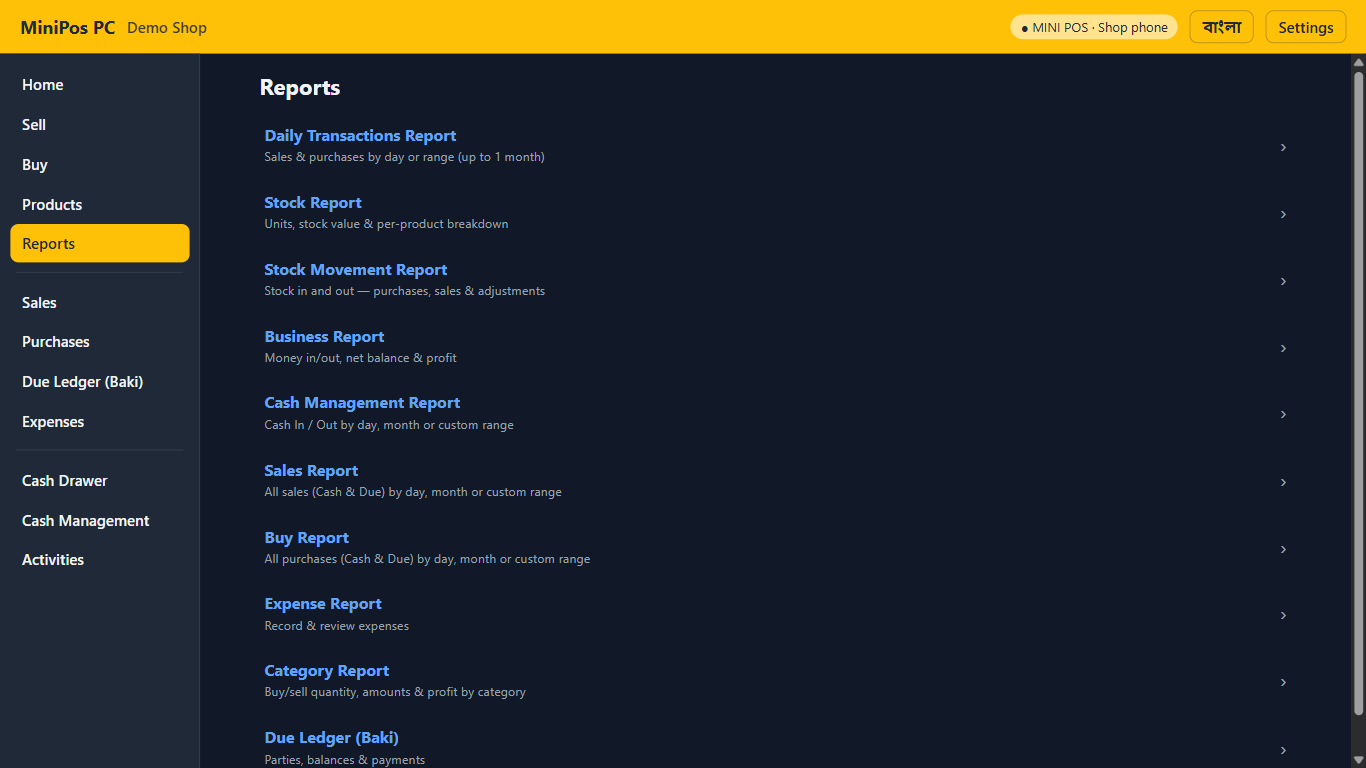
MiniPos PC is free to download. Each PC needs its own licence key, made for that PC.
MPOSPC-XXXX-XXXX-XXXX-XXXX).A key belongs to one PC. Reinstalling MiniPos PC keeps the same Device ID, but a new PC or a fresh Windows installation needs a new key.
We’ll reply with the price, then send your licence key.
Email: contact@parrotdigital.dev WhatsApp
Not for daily use. The PC and the phone talk to each other over your shop’s Wi-Fi (or the phone’s hotspot). You only need internet to download the app.
No. Your shop’s data stays on your own phone and PCs. The connection between them is encrypted, and the PC only talks to the phone it was paired with. See our privacy policy.
Up to 10 PCs per phone, all selling at the same time.
The PC still shows your products, reports and history, but selling and other changes pause until the phone is back. A sale is never recorded twice.
Any printer that works in Windows: receipt printers for 58 or 80 mm paper, or office printers for reports. Receipts and reports can also be saved as PDF. Any USB barcode scanner that types like a keyboard works.
A key is made for one PC’s Device ID. Reinstalling MiniPos PC on the same PC keeps it, but a new PC, or the same PC after a fresh Windows installation, needs a new key. Contact us.
Yes. Each PC can switch between English and বাংলা at any time.
