

You open your dashboard and find your Google Business Profile suspended or disabled. Your calls stop, your listing may have vanished from Maps, and your first thought is to create a new profile. Please do not. That usually makes things worse.
Having your Google Business Profile suspended is not always the end. It can often be recovered, but only if you fix the real cause first and send one clear appeal. This guide explains how, based on Google’s own help pages, and tells you where the advice comes from.
What to do first (and what not to do)
- Do not create a duplicate profile. A second profile for the same business is itself a guideline problem.
- Do not keep editing your details in the hope that something clears the issue. Make one careful set of fixes.
- Do not delete the profile. You would lose your reviews and history.
- Check your email. Google may have told you why, and which account the notice went to.
Google Business Profile suspended: the common causes
Google says it may suspend or disable profiles that do not follow its guidelines. It often does not tell you the exact reason, so go through the guidelines for representing your business yourself. These are the problems we would check first:
- Business name: keywords, cities or slogans added to the name.
- Address: a virtual office, mailbox or a place you do not actually serve customers from.
- Business type: showing an address when you should be a service-area business.
- Duplicates: more than one profile for one location.
- Website or phone mismatch: details that do not match your real business.
- Ownership: a profile set up for a business you cannot prove you run.
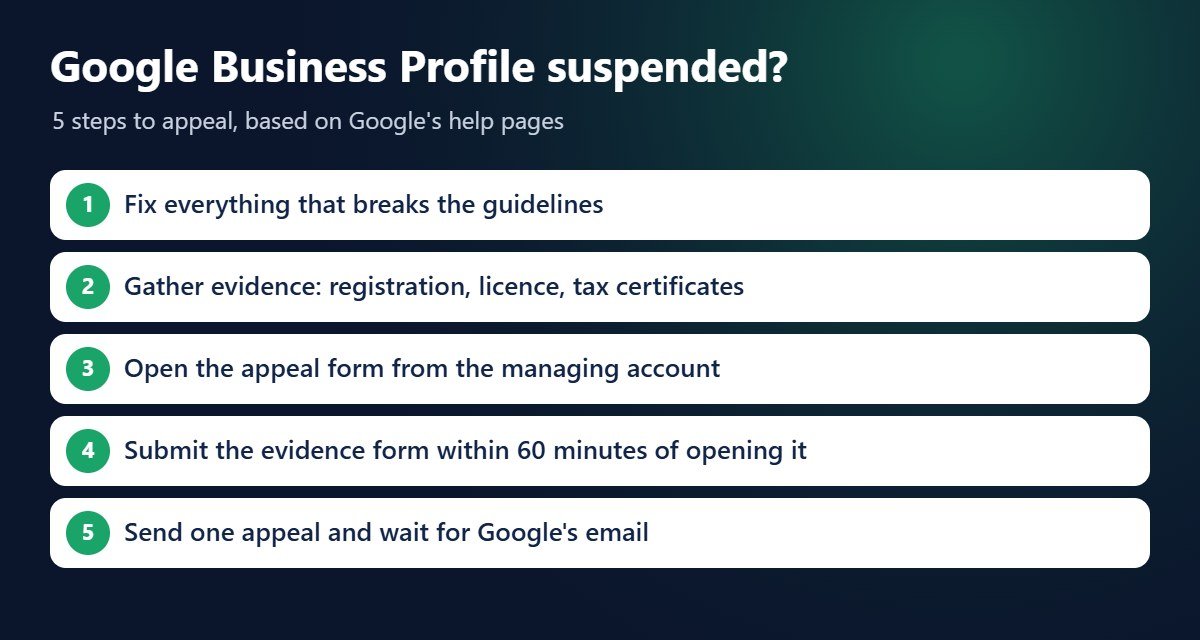
Google Business Profile suspended? How to appeal, step by step
- Fix everything that breaks the guidelines. Google asks you to make sure the profile follows all the guidelines before you appeal.
- Gather your evidence. Google lists examples such as an official business registration, a business licence and tax certificates. A utility bill and photos of your signage can also help show a real location.
- Open the appeal form from Google’s suspended profiles page, using the account that manages the profile.
- Have your files ready before you open the evidence form. Google says you must submit it within 60 minutes, or it will not be attached.
- Send one appeal and wait. Google will review it and email you the decision.
If your Google Account itself is restricted, Google says that must be reinstated first, before you can appeal any decisions about your content.
Suspended, disabled or stuck on verification?
These are easy to mix up, and the labels in the dashboard are not always clear. If your profile has not been verified or the video was rejected, that is a verification problem, not a suspension. See our step-by-step guide to Google Business Profile verification.
How long does an appeal take?
Google does not promise a fixed time. Reports from owners in community forums range from days to several weeks, and some appeals are refused. A clean, well-documented appeal is your best chance, but nobody can guarantee the result. Be careful with anyone who promises a guaranteed reinstatement for a fee.
If your appeal is refused
- Read the email carefully, and look for anything you can still correct.
- Check again for the less obvious problems: a shared address, an old duplicate, or a name that differs from your signage.
- Ask in the Business Profile community, where experienced volunteers often spot the cause.
- Meanwhile, keep your website and other listings working, so your business can still be found.
How to avoid a suspension
- Keep your business name exactly as it appears on your signage and documents.
- Use a real address where you actually serve customers, or set up as a service-area business.
- Keep ownership in your own account, and add agencies or staff as managers.
- Keep your documents ready: registration, licence and a photo of your signage.
- Make big changes one at a time. A sudden change of name, address and category together can trigger a review.
Is your Google Business Profile suspended and you cannot work out why? Book a free call or read about our local SEO service. We will tell you honestly if we think it can be recovered.
Frequently asked questions
Why was my Google Business Profile suspended?
Google may suspend profiles that do not follow its guidelines. Common causes are keywords in the business name, an address you do not really operate from, and duplicate profiles. Google often does not state the exact reason.
How do I get my suspended profile back?
Fix anything that breaks the guidelines, gather evidence such as a business registration or licence, and submit an appeal through Google’s suspended profiles page. Google emails you the decision.
Should I create a new profile if mine is suspended?
No. Creating a duplicate for the same business can make the problem worse. Fix the original profile and appeal.
Will I lose my reviews after a suspension?
Reviews may be hidden while a profile is suspended, and they usually return if it is reinstated. Do not delete the profile, because that risks losing them.