
Search for POS software in Bangladesh and you will find dozens of options, and most “top 10” lists are written by the companies selling them, including us when we talk about our own app. So rather than a ranking, here is a practical checklist. Use it with any vendor, and you will quickly see which ones suit your shop.
What does POS software do for a small shop?
POS (point of sale) software handles billing, prints receipts, tracks stock and shows you what you sold and earned. In Bangladesh, most small shops also need it to keep baki (customer credit) records. The aim is simple: fewer billing mistakes, knowing what is in stock, and knowing your profit without adding up a notebook at midnight.
Start with these three questions
- How reliable is your internet? If it drops often, offline billing matters more than anything else. See offline POS vs online POS.
- Phone or computer at the counter? A phone is cheaper and easy to start with. A computer is faster at a busy counter.
- One shop or several? One shop can use something simple. Several shops may need online reporting across branches.
POS software checklist: what to ask every vendor
Daily use
- Can I make a sale in a few taps? Try it with a real product list.
- Does it scan barcodes? Do I need a scanner, or will the phone camera work?
- Does it print on my printer? Ask for your exact model, or test it during the trial.
- Does it work properly in Bangla, not just the menus?
Baki and accounts
- Does it track customer and supplier dues, with part payments?
- Can I see a daily cash count with opening and closing balances?
- Which reports do I get, and can I save them as PDF?
Stock
- Does it warn me about low stock?
- Does it show stock movement history, so I can trace a missing item?
- Does it handle the way I sell: pieces, kilos, litres?
Data and safety
- Where is my data kept: on my device or on your server?
- How do I back it up and restore it? Try this during the trial, not after a problem.
- Can I export my data if I leave?
- Can staff delete or change a sale, and is that recorded?
Money
- Is it a one-time payment or a monthly fee, and what happens if I stop paying?
- What will it cost over three years, including any hardware?
- Is there a free trial with all features?
- Who do I contact when something goes wrong, and in what language?
What hardware do you need for POS software?
| Item | Do you need it? |
|---|---|
| Android phone | Yes, if you choose a phone app. It need not be a new one, but check the app’s minimum Android version. |
| Receipt printer | Only if you give printed receipts. Bluetooth printers suit a phone setup. |
| Barcode scanner | Optional. Some apps can use the phone’s camera. |
| Computer | Optional. Useful at a busy counter. |
| Cash drawer | Optional. Your cash count can be tracked without one. |
How to test any POS software in one day
- Install it and add 20 of your real products.
- Turn on airplane mode, then make a sale and print a receipt.
- Record one baki sale, then a part payment against it.
- Check that the stock went down and the report is right.
- Make a backup, then restore it if you can.
- Ask whoever works your counter to try it. If they struggle, it will not last.
Where Mini POS fits, and where it does not
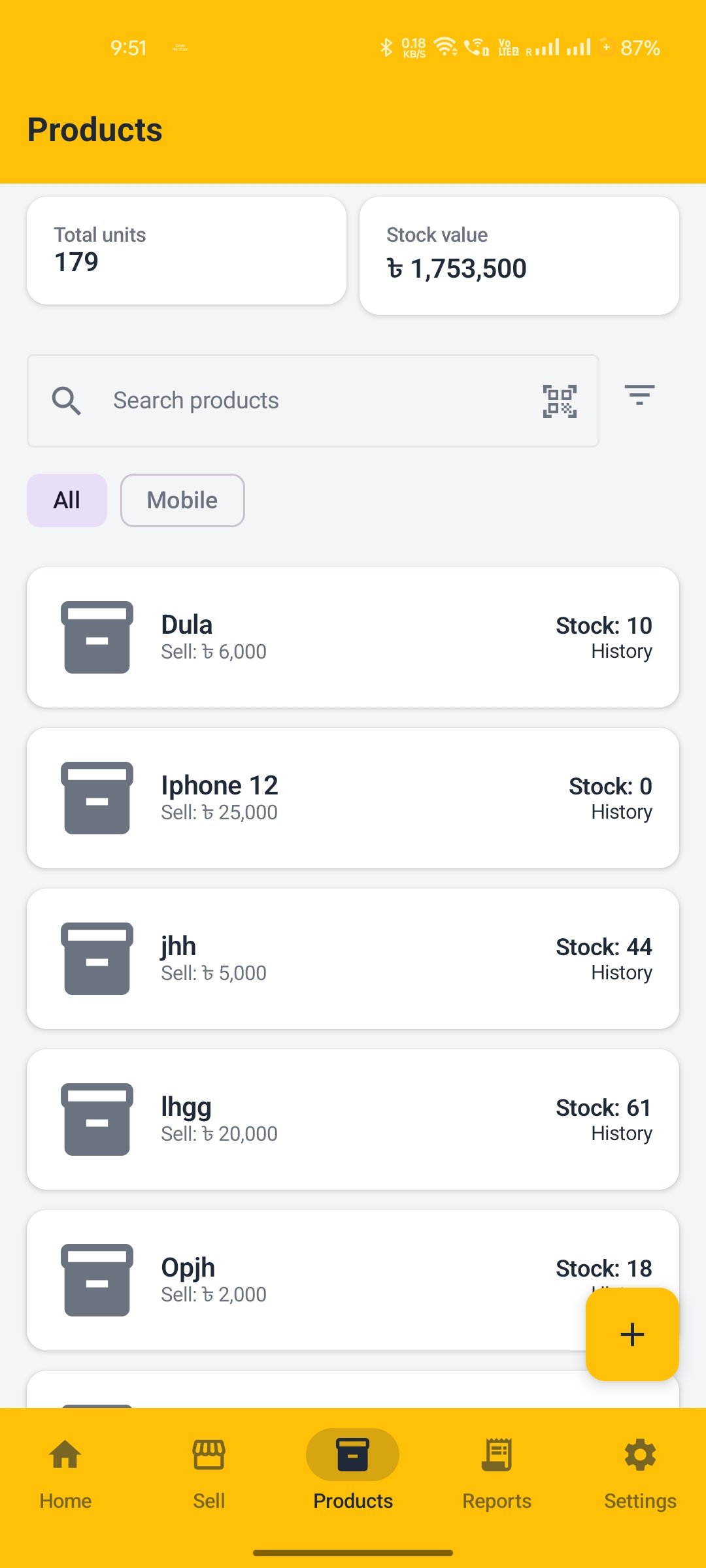
We build Mini POS, so take this as the maker’s view. It suits a small shop that wants simple, private billing:
- Fully offline on Android 7.0 or newer, with no account
- Billing, barcode scanning with the camera, and Bluetooth, USB or Wi-Fi printing
- Baki khata for customers and suppliers, and a daily cash drawer
- Low-stock alerts and nine reports with PDF
- Full English and Bangla
- A 30-day free trial, then a one-time payment with no subscription
It is not the right choice if you need to watch sales from home, combine several branches in real time, send SMS reminders, or sell online from the same system. In those cases, look at a cloud POS. For a bigger screen at the counter, MiniPos PC connects up to 10 Windows PCs to the phone over your shop’s own Wi-Fi.
The bottom line
The best POS software is the one your staff will really use every day. Do not choose from a list of features or a “top 10” page. Run the one-day test above with two or three options, then decide.
Want to start with ours? Try Mini POS free for 30 days, or ask us anything.
Frequently asked questions
What is the best POS software for a small shop in Bangladesh?
There is no single best one. It depends on your internet, your number of shops and your budget. Test two or three on your real products, in a real day of work, before you decide.
How much does POS software cost in Bangladesh?
Prices vary widely, from one-time app purchases to monthly subscriptions. Compare the total cost over three years, including hardware, and ask what happens if you stop paying.
Can I use my phone as a POS?
Yes. A phone app with a Bluetooth receipt printer is enough for many small shops. Check the app’s minimum Android version first.
Does POS software work without internet?
Offline apps always do. Cloud systems vary, so turn on airplane mode during your trial and test a sale, a receipt and a report.