

The internet goes down at 7 pm, the shop is full, and your billing app shows a spinning wheel. If you run a small shop, you already know this moment. It is the main reason shop owners ask about an offline POS: a point-of-sale app that keeps working with no connection at all.
But offline is not automatically better. Online POS systems do things an offline app cannot. This guide compares the two honestly, so you can pick the right one for your shop. We build an offline app ourselves, Mini POS, so we will also tell you where it is not the right choice.
What is an offline POS system?
An offline POS system stores your sales, stock and customer records on your own device. Billing, receipts and reports all run there, so no internet is needed to make a sale.
An online POS (often called a cloud POS) keeps your records on the company’s servers. Your phone or computer is mainly a window onto that data. Some online systems can keep billing for a while when the connection drops and sync later, so it is worth asking any vendor exactly what still works offline.
Offline POS vs online POS: 7 key differences
| Question | Offline POS | Online (cloud) POS |
|---|---|---|
| Works with no internet? | Yes, always | Depends on the system; often limited |
| Where is your data? | On your device | On the vendor’s servers |
| See sales from home? | Usually no | Yes, from anywhere |
| Who handles backups? | You | Usually the vendor |
| Several branches in one live view? | Usually no | Yes |
| Typical pricing | Often a one-time payment | Often a monthly subscription |
| Needs an account? | Often no | Yes |
When an offline POS is the better choice
- Your connection is unreliable. If the network drops often, or your shop is in a market building with weak signal, offline billing removes the problem completely.
- You have one shop and you are usually there. You do not need a live dashboard if you are standing at the counter.
- You want your records to stay private. Your sales and customer dues stay on your phone rather than on someone else’s server.
- You dislike monthly fees. Many offline apps charge once. Over several years, that can matter for a small shop.
When an online POS is the better choice
- You manage staff from somewhere else and want to see every sale as it happens.
- You run several branches and need stock and sales combined in real time.
- You want online and in-store sales in one system, for example with a web shop.
- You want reminders sent to customers by SMS, which needs a connection.
If those describe your business, a cloud POS is probably worth the subscription, even if the internet drops now and then.
The real risk of offline: backups
This is the honest downside. If your records live on your phone and the phone is lost or broken, your records go with it, unless you have a backup. Treat this as part of your closing routine, not something to do “later”.
A simple backup habit looks like this:
- Back up at closing time, or set automatic backups.
- Keep a copy somewhere other than the phone: a computer, a memory card or your own cloud drive.
- Once a month, check that the backup file really exists and is recent.
Mini POS, for example, creates a zip backup with one tap, product photos included, and can run scheduled backups to a folder you choose. Because the app never connects to the internet, moving that file somewhere safe stays your job.
What to check before choosing any POS app
- Test it with the internet off. Turn on airplane mode and make a sale, print a receipt and open a report. This one test answers most questions.
- Check your printer. Confirm it works with your Bluetooth, USB or Wi-Fi printer before you commit.
- Check the language. If your staff prefer Bangla, the whole app should work in Bangla, not just the menu.
- Ask how you leave. Can you export your data if you stop using the app?
- Add up the real cost. Compare a one-time price against the subscription multiplied by the years you expect to use it.
- Use the free trial on a busy day. A quiet morning will not show you how fast billing really is.
How Mini POS handles this
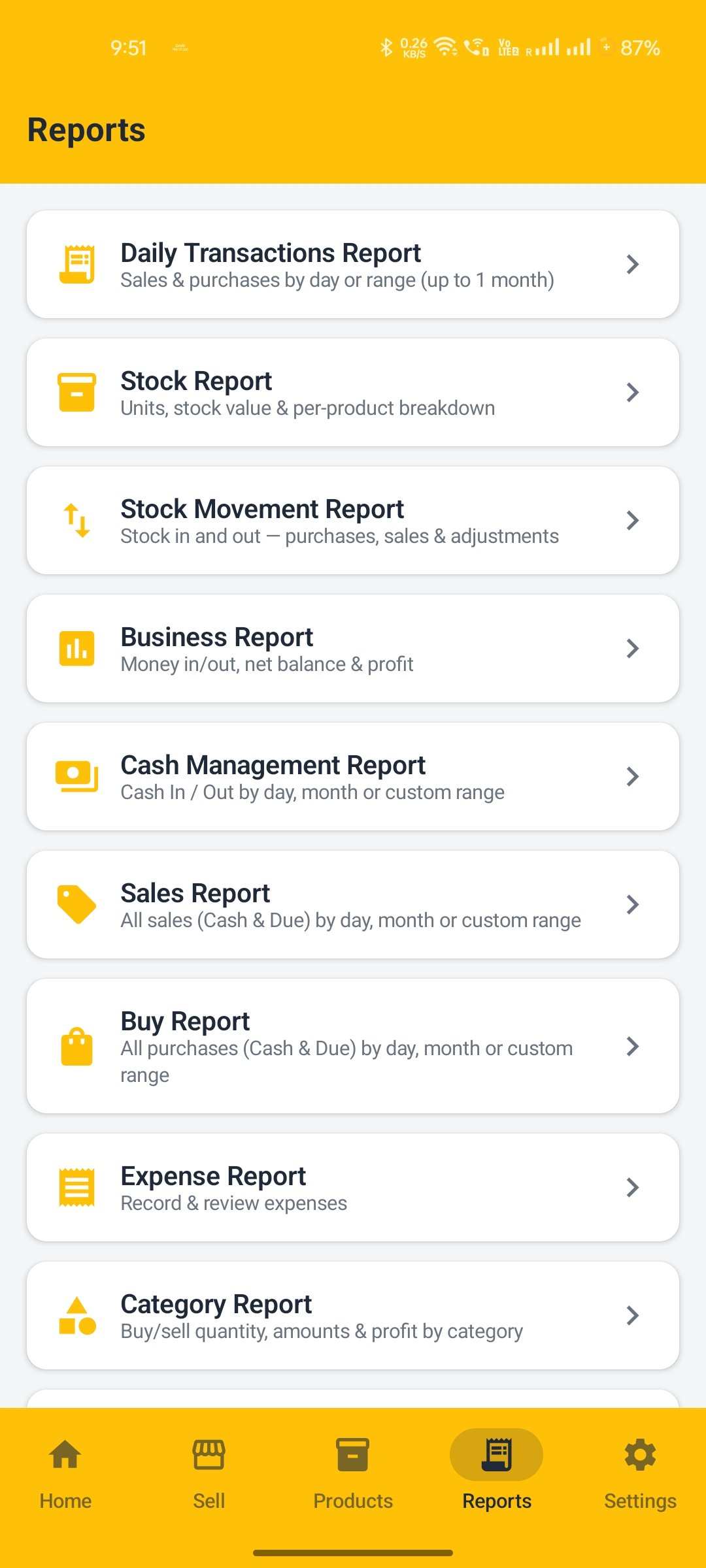
Mini POS is the offline billing app we build and publish for small shops. It runs on any phone with Android 7.0 or newer, and it does not even request internet permission. There is no account and no sign-up.
- Billing, barcode scanning and printed receipts
- Stock with low-stock alerts
- Baki khata for customer and supplier dues
- Nine business reports, saved or printed as PDF
- Full app in English and Bangla
Every feature is open for a 30-day free trial, then you unlock it with a one-time purchase on Google Play, with no subscription.
What it does not do: it will not show you sales from home, and it cannot send SMS reminders, because it never goes online. If you want a bigger screen at the counter, MiniPos PC connects Windows computers to the phone over your shop’s own Wi-Fi.
The bottom line
Choose offline if your priority is that billing never stops and your data stays with you. Choose online if your priority is seeing and managing the business from anywhere. If you are unsure, start with a free trial and run the airplane-mode test above.
Want to try it? Get Mini POS on Google Play or ask us a question.
Frequently asked questions
Does a POS system work without internet?
An offline POS works fully without internet because everything is stored on your device. Online POS systems vary: some keep billing for a while and sync later, and others stop. Test any app with airplane mode on before you decide.
Is an offline POS safe?
Your records stay on your own device, so they are not on a vendor’s server. The main risk is losing the device, so keep regular backups somewhere other than the phone.
Is a POS app good enough, or do I need a computer?
For a small shop, a phone with a receipt printer is often enough. If you want a larger screen at the counter, choose an app that also runs on a computer, such as Mini POS with MiniPos PC.
Which is cheaper, offline or online POS?
Offline apps often charge once, while online systems often charge monthly. Compare the total over the years you expect to use it, and include any printer or hardware you need.